One place for thinking, doing, and becoming.
LifeOS connects the parts of your life that usually live in separate tools.
A single loop, not seven separate apps.
LifeOS follows the natural rhythm of how you already think: something enters your life, you make sense of it, you decide what to do with it, you act, and you learn from what happened. Each step feeds the next.
- 01
Capture
Something crosses your mind — an idea, a question, something you read, a decision you need to make. Write it down before it disappears. LifeOS gives it a temporary home without asking you to know where it belongs yet.
- 02
Process
Come back to what you captured. Decide what each thing is — a note, a task, something to read, a question worth pursuing, a belief worth examining. LifeOS helps you sort rather than pile.
- 03
Organize
Place things where they belong. A note connects to a project. A highlight connects to a question. A decision connects to a belief. LifeOS preserves the relationships between things instead of flattening them into disconnected files.
- 04
Plan
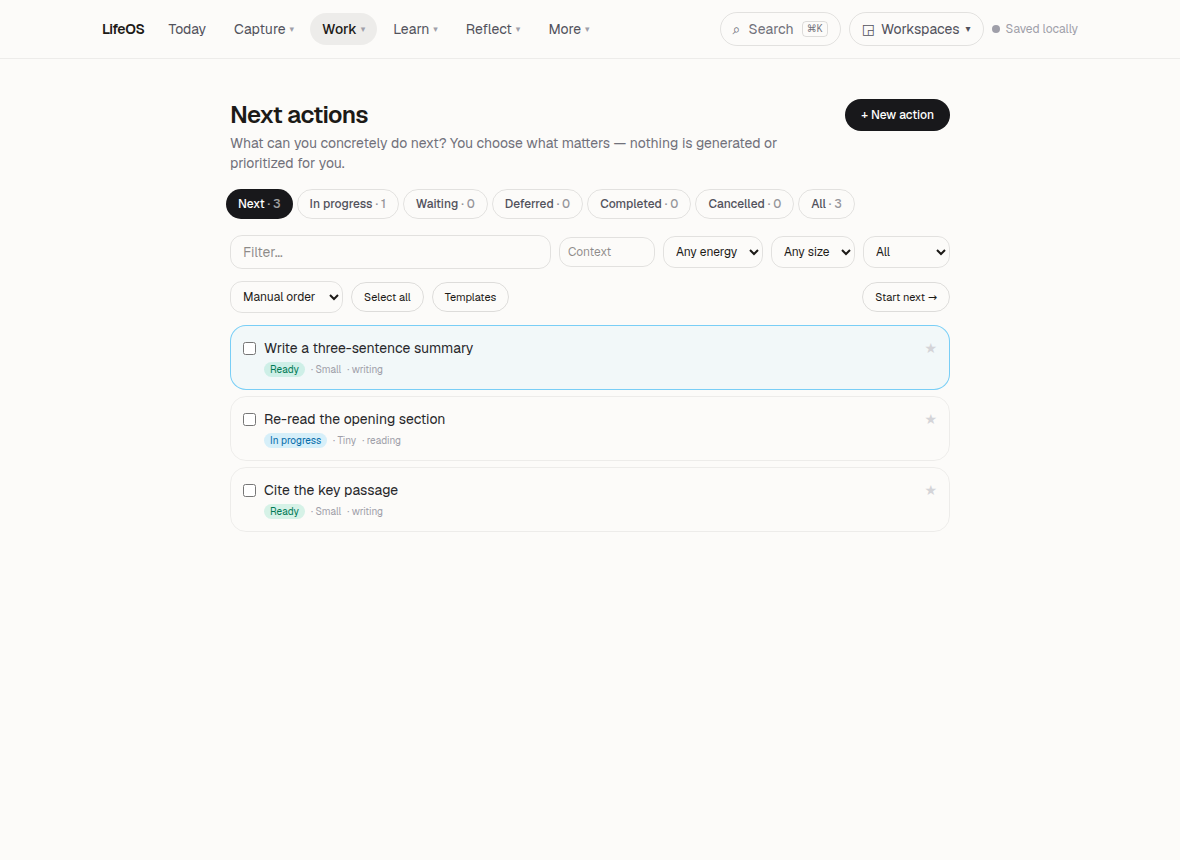
Choose what deserves your attention. Set goals, break projects into milestones, and decide on the next actions that will actually move them forward — without turning your life into a checklist that never ends.
- 05
Focus
Do the work. Open a single project, start a focus session, and give one thing your full attention. LifeOS holds everything else quietly in the background until you return.
- 06
Reflect
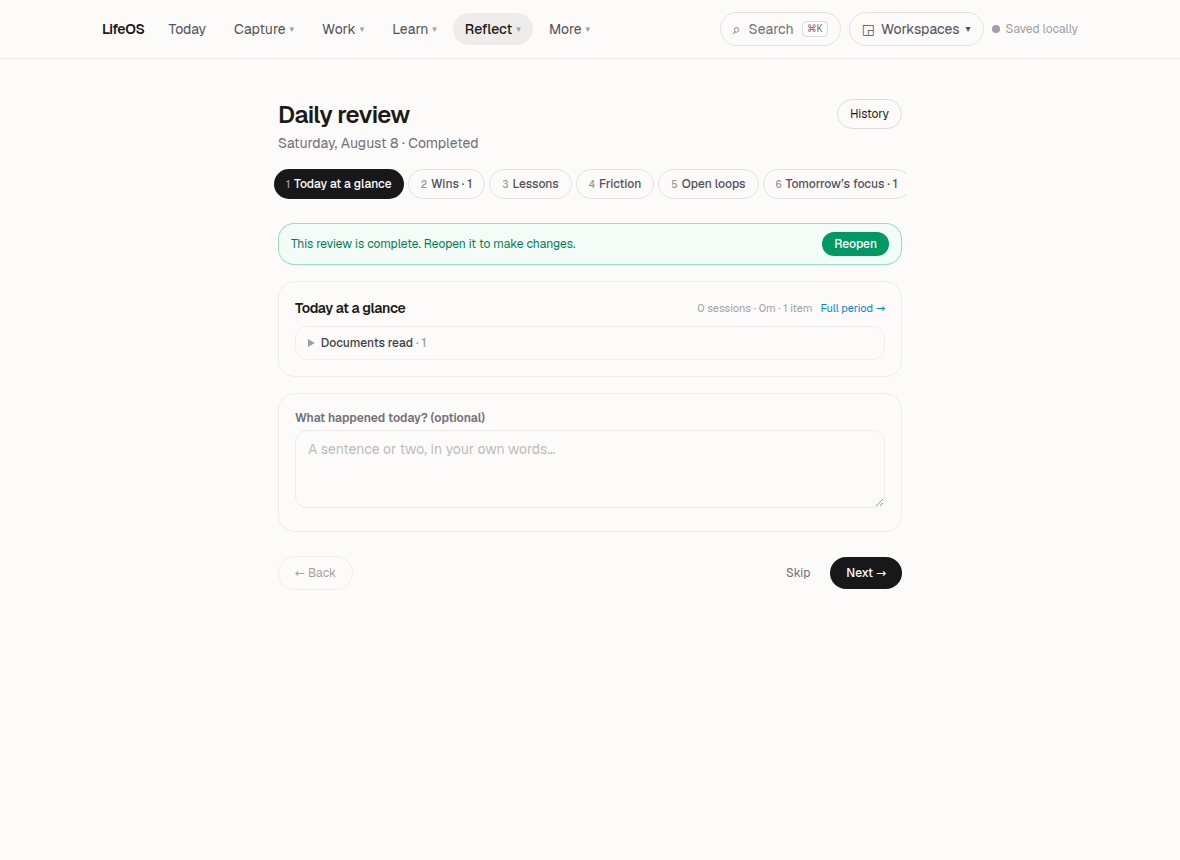
Look back at what happened. What did you finish? What changed? What remains open? Reflection is where the loop closes and where your next decisions get better — not a score, not a streak, just honest review.
- 07
Understand
Over time, patterns emerge. How your ideas developed. What you actually spent your attention on. Which beliefs changed. LifeOS helps you see your own life more clearly — not through metrics, but through the record you kept.
Meaningful work is a chain, not a list.
Most task managers flatten everything into one long list. LifeOS preserves the relationships that give your work meaning — why you are doing something, what it serves, and where it leads.
- Goals↓ becomesProjects
A goal is something you want to become true. A project is the bounded effort that gets you there. LifeOS lets a goal hold several projects, so you can see which efforts serve which intentions.
- Projects↓ becomesMilestones
A project can feel overwhelming until it is broken into milestones — the meaningful checkpoints that tell you whether you are actually progressing, not just staying busy.
- Milestones↓ becomesNext Actions
A milestone becomes real when you can name the single next action that would move it forward. LifeOS keeps that action small and concrete, so you always know where to begin.
- Next Actions↓ becomesFocus Sessions
When you are ready to work, a next action becomes a focus session — a protected period of attention on one thing. Everything else waits quietly until you return.
- Planning↓ becomesFocus
Planning is the moment you choose what deserves your attention before the day chooses for you. LifeOS helps you decide deliberately, then gets out of the way so you can do the work.
Knowledge becomes understanding when things connect.
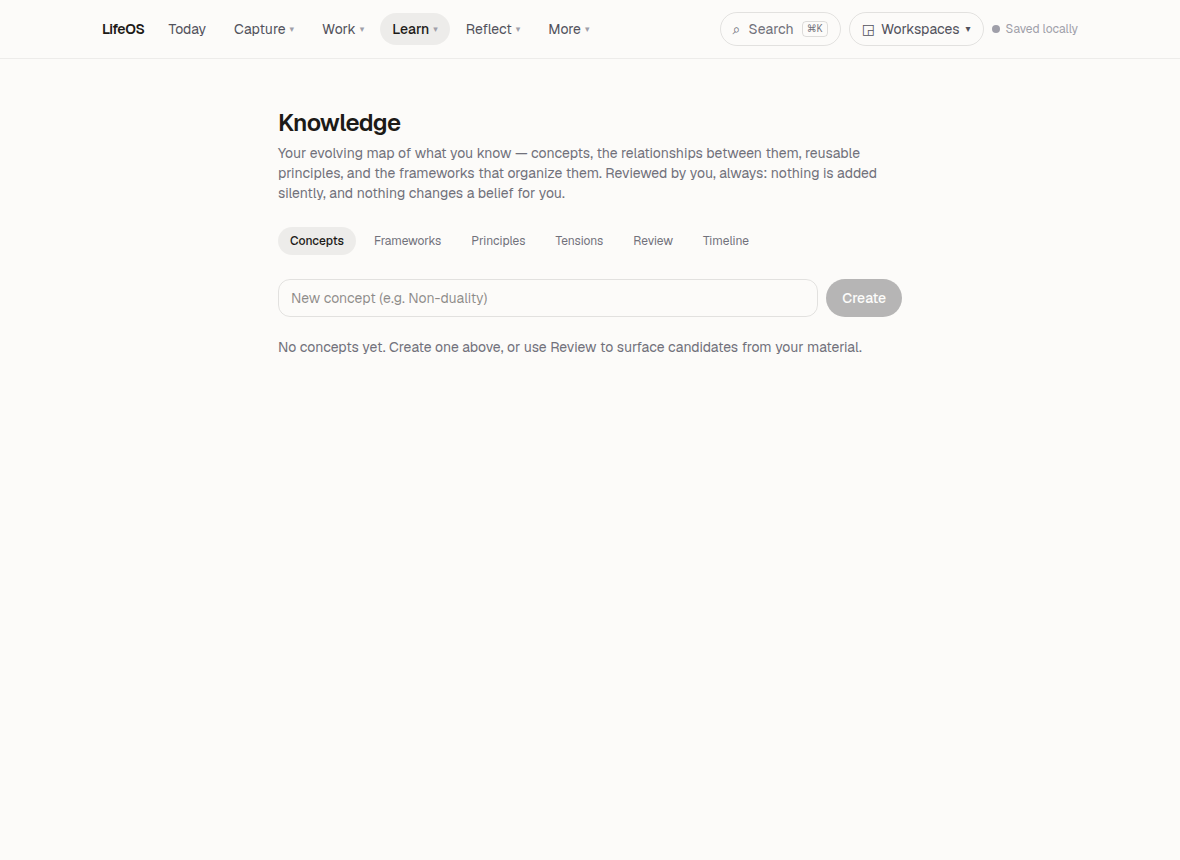
LifeOS holds your reading, notes, highlights, beliefs, questions, and research in one connected space — so the relationships between ideas survive instead of disappearing into separate apps.
Reading
Keep track of what you are reading, what you have finished, and what is waiting. LifeOS holds your reading alongside the thoughts it sparked, so a book stays connected to the questions it raised.
Documents
Store the papers, articles, and notes that matter to you in one place. LifeOS treats documents as part of your thinking, not as files to be filed and forgotten.
Highlights & annotations
Mark the passages that mattered and add your own thoughts beside them. LifeOS preserves the connection between what someone else wrote and what you thought about it.
Beliefs
Name the things you hold to be true, and let them evolve. LifeOS treats beliefs as living, examinable things — not fixed declarations, but part of an ongoing conversation with yourself.
Research
Follow a question wherever it leads. LifeOS gathers your reading, notes, highlights, and emerging conclusions into one investigation you can return to and build on.
Questions
Some of the most important things in your life are questions you have not answered yet. LifeOS gives them a home, so they do not get lost while you live your way toward them.
Connections
Link anything to anything else. A highlight to a question. A belief to a book. A note to a project. LifeOS keeps the relationships visible, so knowledge becomes understanding rather than accumulation.
The loop closes when you look back.
Without reflection, the loop never closes. LifeOS gives you the space and structure to review honestly, notice patterns, and let what you learned shape what you do next.
Daily Review
At the end of the day, look back honestly. What happened? What changed? What remains open? What deserves your attention tomorrow? LifeOS gives you a quiet space for this — not a score, not a streak, just a few honest moments with your own life.
History
Everything you have written, decided, and reflected on remains accessible. LifeOS keeps a readable record of how your thinking and work have developed, so you can return to where you were and see how far you have come.
Insights
Over time, LifeOS surfaces patterns you might not have noticed — recurring themes in your reflection, questions you keep returning to, projects that keep stalling. Not metrics to optimize, but observations to consider.
Maintenance
Life stays manageable when things get reviewed regularly. LifeOS helps you revisit open projects, stale notes, and unanswered questions before they become noise — so your system stays trustworthy without becoming a burden.
Your life should remain yours.
LifeOS is built around ownership. Sync, backup, recovery, and privacy are visible rather than hidden — so you can trust the system that holds your thinking.
Sync
Your LifeOS stays current across your devices. Sync is visible and transparent — you can see what is up to date rather than trusting that it just worked.
Backup & export
Your records belong to you. LifeOS includes tools for backing up your data and taking it with you, so you are never locked in to keeping it here.
Recovery
If something goes wrong — a mistaken delete, a lost device — LifeOS provides a path back. Recovery is designed to be understandable, not a mystery hidden behind a support ticket.
Privacy controls
LifeOS can hold deeply personal material, and it treats that material with respect. Privacy controls let you understand and manage how your information is stored and kept.
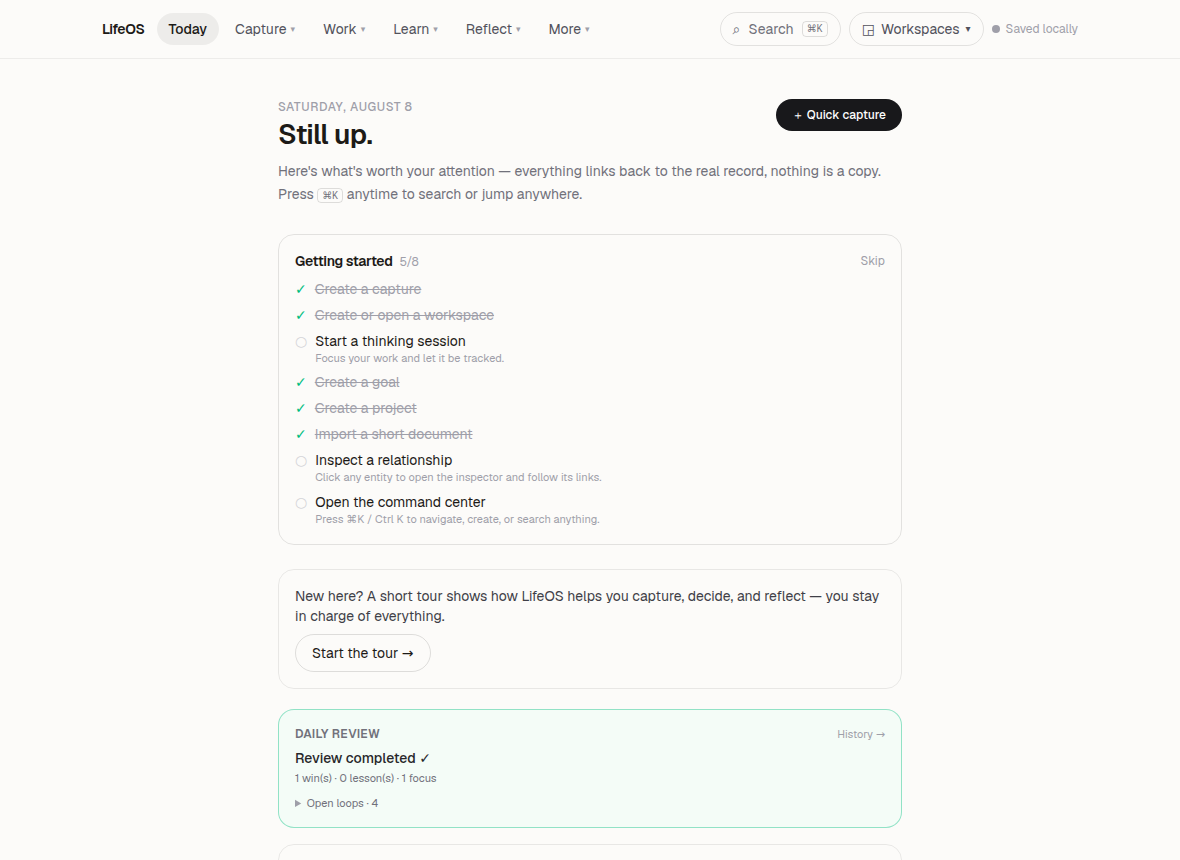
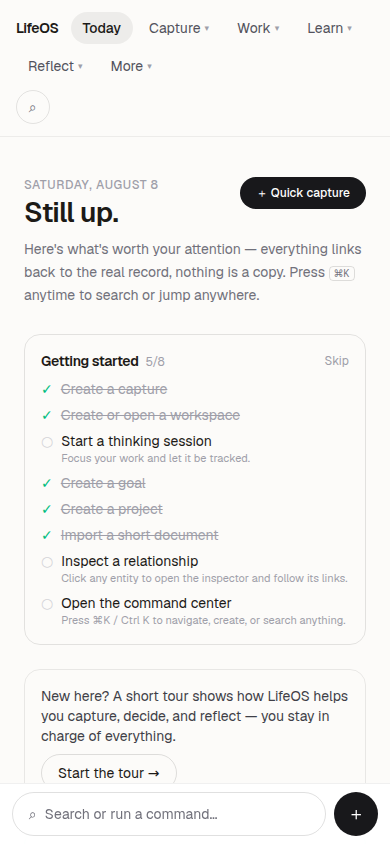
See how it comes together.
A restrained look at the real surfaces that make up the LifeOS loop.
Give your life a place to come together.
LifeOS is in private beta. Join the people who want their tools to strengthen their judgment, not replace it.
No streaks. No productivity scores. No promise to think for you.
Just better architecture for the work of living.